
Developer dashboard is very help full while troubleshooting the issues related to performance in SharePoint 2013.
New-SPUsageApplication -Name “Health and Usage Application” -DatabaseName “SP2013_Health_and_Logging_Database”.

To enable the dashboard, we will use ON setting and use the below powershell command.
$svc = [Microsoft.SharePoint.Administration.SPWebService]::ContentService
$dds = $svc.DeveloperDashboardSettings
$dds.DisplayLevel = “On”
$dds.Update()

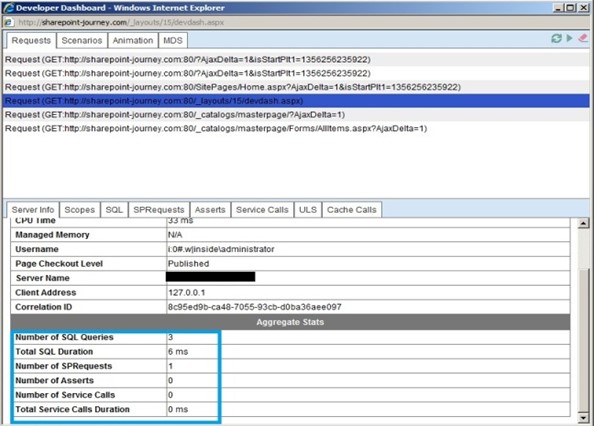
Ref: http://www.sharepoint-journey.com/developer-dashboard-in-sharepoint-2013.html
 Microsoft Systems, Cloud and azure professionals