
This is about.
Using Files Restore to restore a OneDrive to a previous point in time.
Restore your OneDrive – Office Support (microsoft.com)
not Restoring items from the recycle bin in OneDrive.
For restoring deleted users go to the following link.
If many files get deleted, overwritten, corrupted, or infected by malware, users can restore their entire OneDrive to a previous time.
take control of a user’s OneDrive and perform single file or full restores if it is necessary.
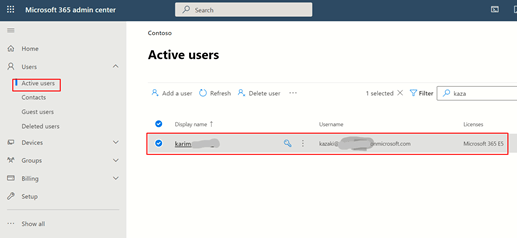
Go to admin center.
Microsoft 365 admin center – Home (office.com)
Then users choose the user you want
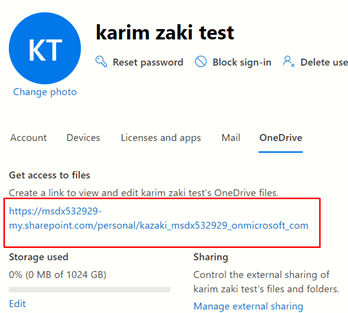
Then crate a link.

Open the link.
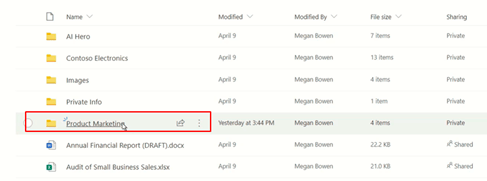
Choose the folder.
Then go to the setting gear Icon.

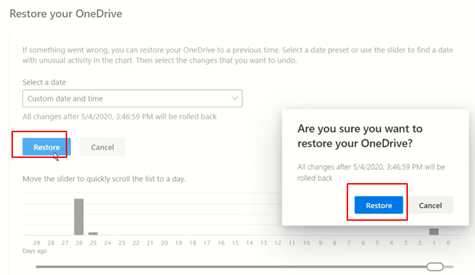
Then choose to restore OneDrive.

Then select the date.

Move the slider for customization.

When you choose something, it takes all the changes.

Then restore.
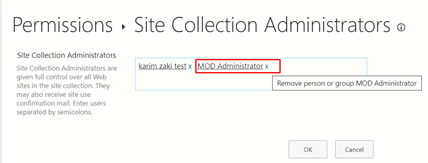
Now remove your permission as an admin.

Go to more settings site collection administrators.

Then remove the admin.
 Microsoft Systems, Cloud and azure professionals