
AD 2008
Delegation
Go to active directory users and computers
Right click the OU or the Domain the delegate

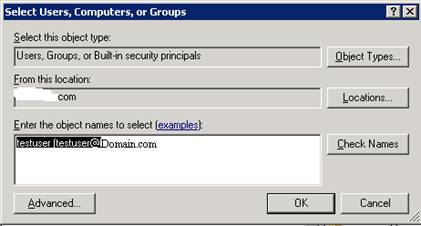
Add the user or group to be delegated

The create custom delegate

Choose the scope of the task
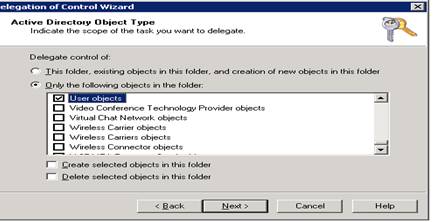
The choose General and property specific make sure to choose the send as and receive as check box this is new in Window server 2008 then choose the property you want

Finish
 Microsoft Systems, Cloud and azure professionals
Ver nice thanks
LikeLike