
Network trace without netmon
netsh trace start capture=yes tracefile=D:\trace.etl

netsh trace stop
copy the ETL file to computer with netmon installed
then go to the computer where you have the netmon installed
open the ETL
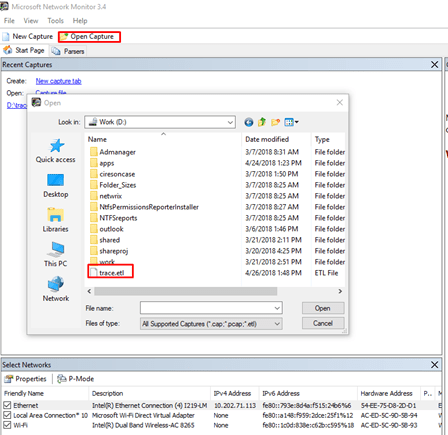
After you open the file
You will find the following view
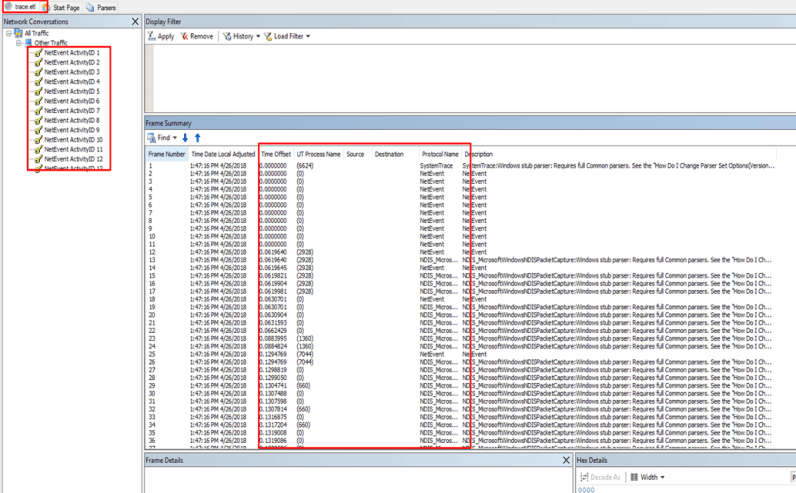
The parsers will have a problem
If you look at the description you will find
Windows stub parser: Requires full Common parsers.
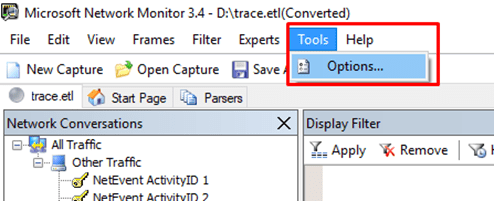
Now turn on some parsers
Go to tools —- options


Now it is working fine

Ref: https://enblog.alex-trofimov.com/2011/06/20/network-trace-without-netmon-wireshark-etc/
 Microsoft Systems, Cloud and azure professionals
Thank you so much for posting this!
LikeLike
thanks so much
LikeLike