
Using KQl detect and take actions.
Detect and automate.
The following applies to Microsoft Defender XDR hunting queries.
as Microsoft is telling about this feature
Custom detection rules are rules you can design and tweak using advanced hunting queries. These rules let you proactively monitor various events and system states, including suspected breach activity and misconfigured endpoints. You can set them to run at regular intervals, generating alerts and taking response actions whenever there are matches.
The following is a query that will do the following.
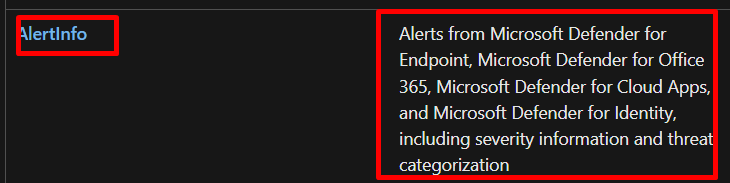
First get alertinfo data from table
getting alerts from all defender products and choose high severity using the distinct list unique types no duplicates. join to another table alertehttps://learn.microsoft.com/en-us/microsoft-365/security/defender/advanced-hunting-alertevidence-table?view=o365-worldwidehttps://learn.microsoft.com/en-us/microsoft-365/security/defender/advanced-hunting-alertevidence-table?view=o365-worldwidevidence to get the information about various entities so we can take actions based on the queries “Files, IP addresses, URLs, users, or devices associated with alerts” and the severity was high and the mail was delivered. this is what the query is doing.
after I detect the results, I have actions to choose from
to prepare the query there are required columns for each entity and for each action.
the mandatory columns to start the detection Query.
are time stamp and report ID I will mark them in RED.
for every action you need there are columns to be retrieved
actions on emails you need “NetworkMessageId and RecipientEmailAddress”
actions on devices you need “DeviceID”
actions on file you need “SHA1, InitiatingProcessSHA1, SHA256, or InitiatingProcessSHA256″ you can block or allow.
actions on users you need “AccountObjectId, InitiatingProcessAccountObjectId, or RecipientObjectId“ you can disable or force password.
The following is the query run it from advanced hunting in XDR make sure you configure well.
AlertInfo |
where Severity == "High"
| distinct AlertId
| join AlertEvidence on AlertId
| where EntityType in ("User", "Mailbox", "DeviceId")
| where EvidenceRole== "Impacted"
| summarize by Timestamp, AlertId, AccountName, AccountObjectId,
EntityType, DeviceId, SHA256, SHA1, AccountSid, DetectionSource, DeviceName
| join EmailEvents on $left.AccountObjectId == $right.RecipientObjectId
| where DeliveryAction == "Delivered"
| summarize by Timestamp, AlertId, ReportId, RecipientObjectId,
RecipientEmailAddress, EntityType, DeviceId, SHA256, SenderFromAddress, NetworkMessageId, SHA1, AccountSid, DeliveryAction
The Query and results


start testing and for full reference go to the following.
https://learn.microsoft.com/en-us/microsoft-365/security/defender/custom-detection-rules?view=o365-worldwide#4-specify-actions
 Microsoft Systems, Cloud and azure professionals
great articles thanks karim
LikeLiked by 1 person
Thanks so much
LikeLike