
Zero Trust identity and device access protection: Enterprise policies
- Idle session timeout for SharePoint
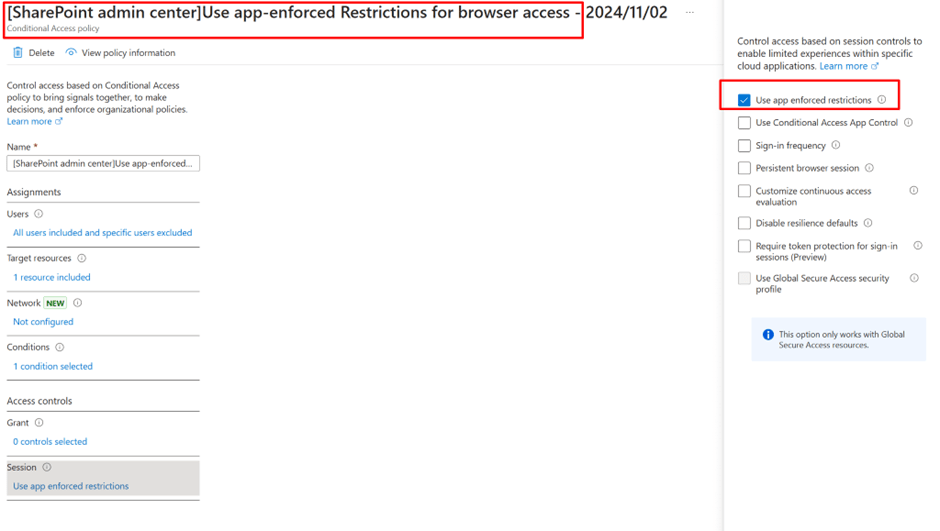
- Application enforced restrictions
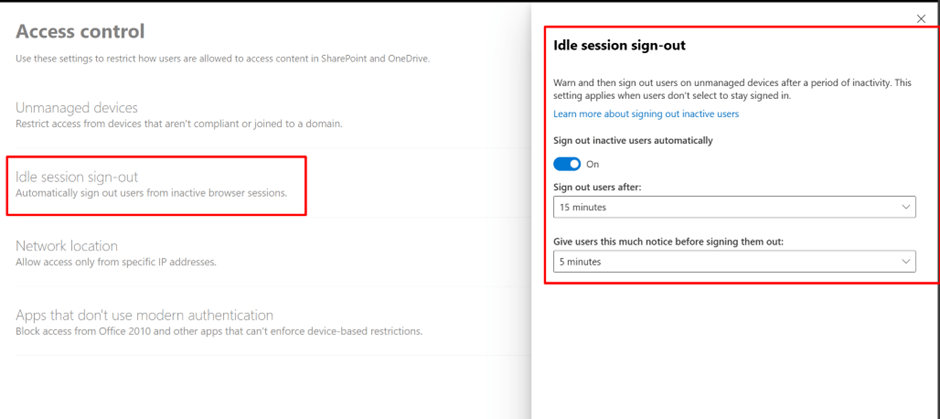
- Idle session timeout on Unmanaged devices SharePoint
- SharePoint and Overdrive Unmanaged device access controls
Introduction
Zero Trust deployment plan with Microsoft 365 | Microsoft Learn

And also in Top 12 tasks for security teams to support working from home
Top 12 tasks for security teams to support working from home | Microsoft Learn

And also in Top 12 tasks for security teams to support working from home
Top 12 tasks for security teams to support working from home | Microsoft Learn


The Subsequent terminologies will be used and must be well known
Conditional Access: Session
Application enforced restrictions
This is in the conditional access policy, and it make the respect to be the to the policy in SharePoint
So when setting up from SharePoint admin center it created these 2 policies you shall go and exclude the Global admin and yourself
As bellow
Organizations can use this control to need Microsoft Entra ID to pass device information to the selected cloud apps. The device information lets cloud apps know if a connection is from a compliant or domain-joined device. It also updates the session experience. When selected, the cloud app uses the device information to give users with a limited or full experience. Limited when the device isn’t managed or compliant and full when the device is managed and compliant.
For a list of supported applications and how to set up policies, see the next articles:
How to turn the Idle sessions and Unmanaged devices
Idle session timeout for Microsoft 365 – Microsoft 365 admin | Microsoft Learn

By default it creates 2 CA policies
Make sure to edit and just add groups you need and exclude your Global admin account
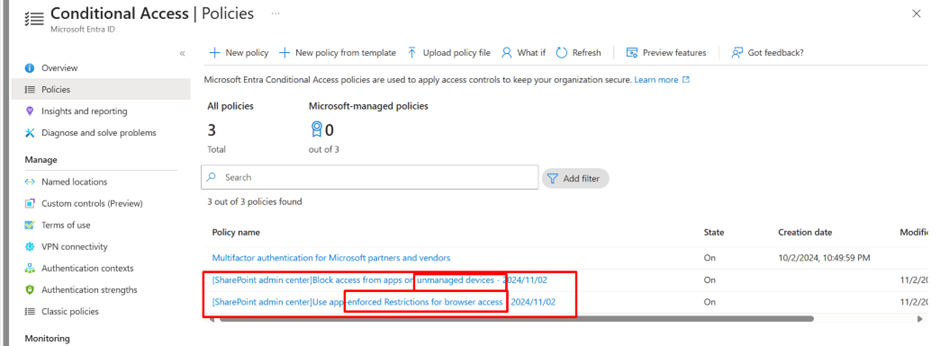
Also the apps not using modern authentication shall be blocked

2 conditional access policies are created for all company one for compliant devices and other for Browser’s in active or idle sessions
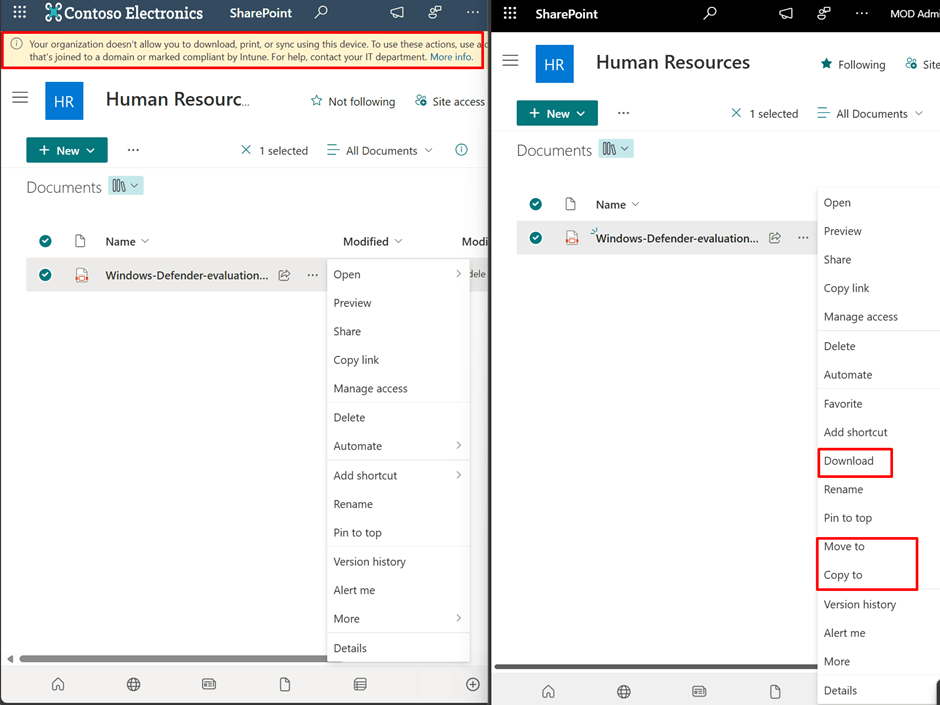
User Experience
The next is how it is applied for 2 users included and other not included in policy
Difference is downloaded, move and copy
And for the idle session the users will get
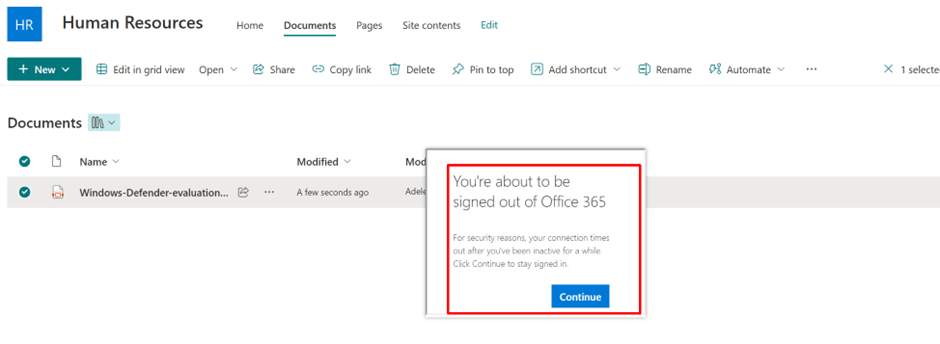
And this is for Unmanaged device policy
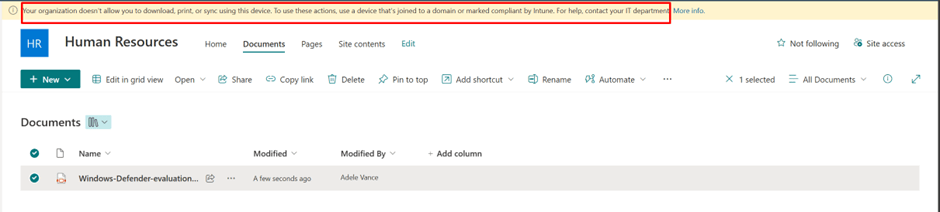
Now when the user tries to print or download or open in another App the next will be the behavior

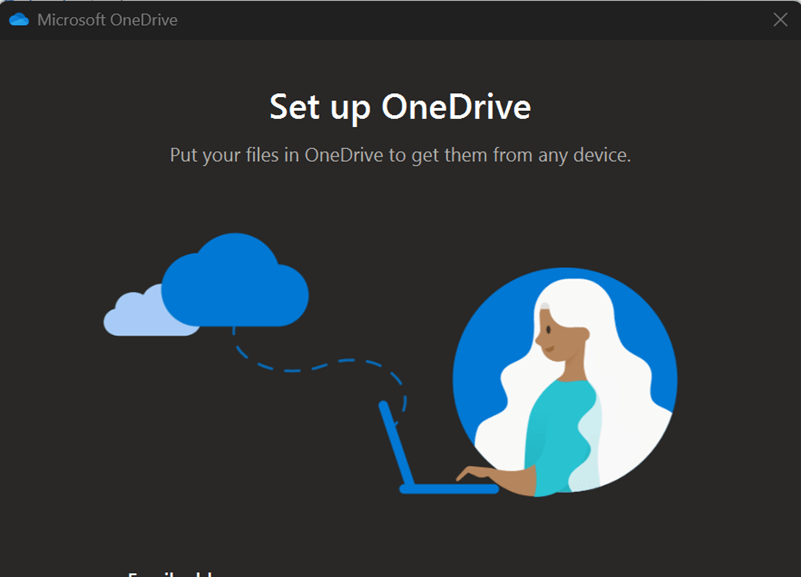


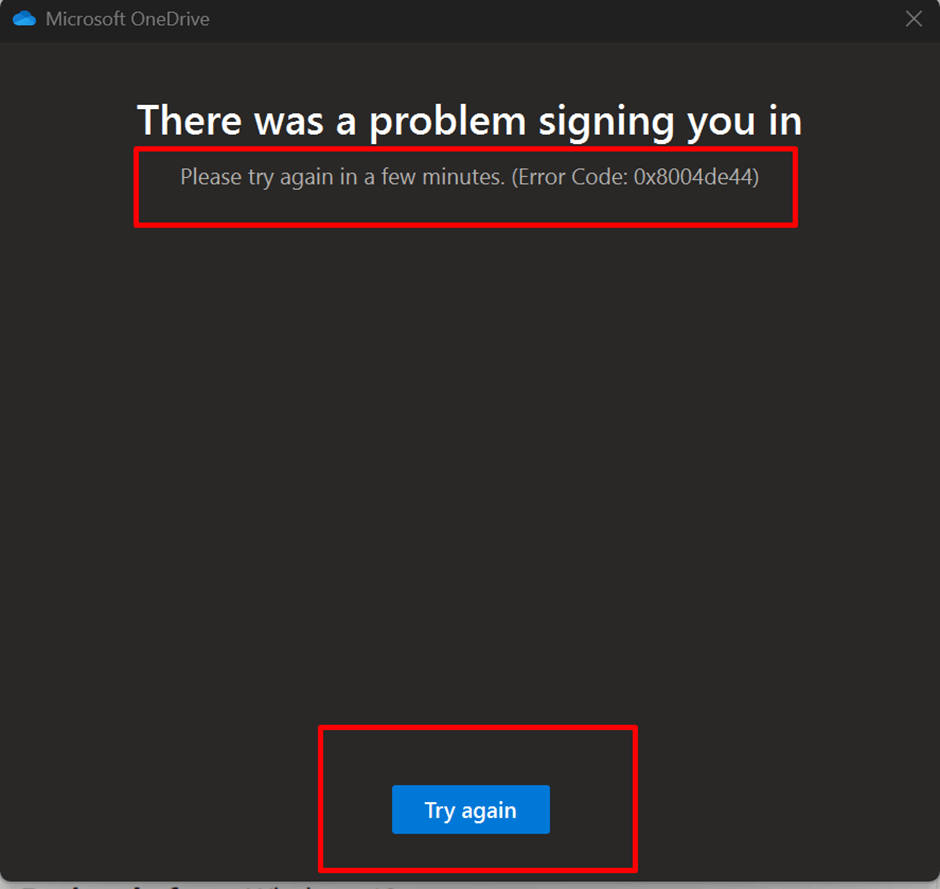
This also applies to chrome
You must apply the Microsoft Single Sign On extension to google
Users won’t get signed out in these cases.
If they get single sign-on (SSO) into the web app from the device joined account.
If they selected Stay signed in at the time of sign-in. For more info on hiding this choice for your organization, see Add branding to your organization’s sign-in page.
They are on a managed device. This device is either compliant or joined to a domain. They are using a supported browser like Microsoft Edge. Alternatively, they use Google Chrome with the Microsoft Single Sign On extension.
Links
Idle session timeout for Microsoft 365 Idle session timeout for Microsoft 365 – Microsoft 365 admin | Microsoft Learn
 Microsoft Systems, Cloud and azure professionals